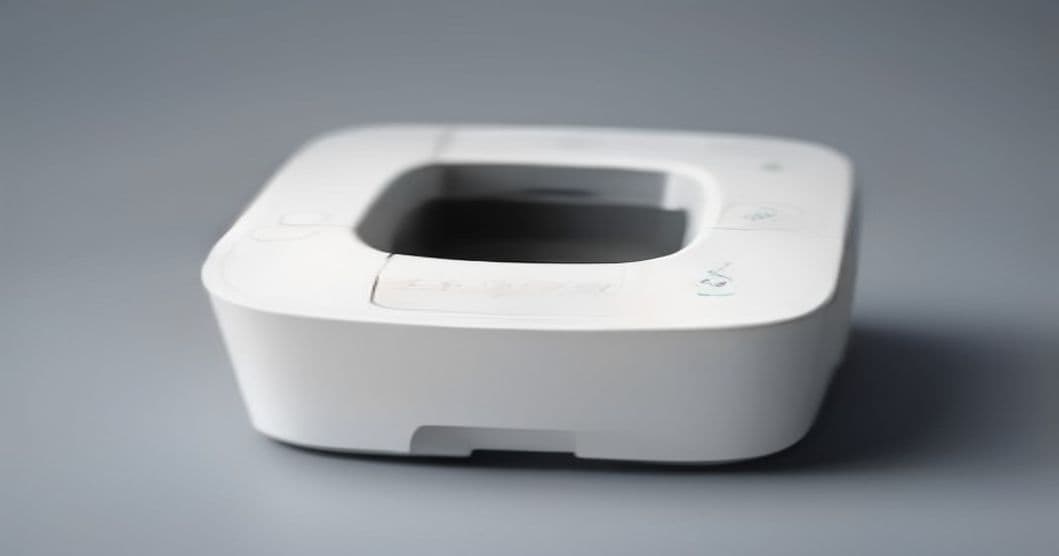
A success that was not one
I have a Xerox Phaser 3020 hanging off the Ubuntu 24.04 box that runs the house. It printed nothing. Not badly — nothing. Short mechanical noises, a feed cycle, a blank sheet. And every single job showed up in CUPS as completed.
That is worse than an error. An error hands you a string to search for. A success that is not one hands you nothing, and quietly suggests the problem is somewhere you are not looking.
I had bounced off this twice already, both times by searching the symptom and applying whatever fix had the most upvotes. The third time I opened Claude Code in a terminal on that machine and let it drive.
Why a printer is an agent-shaped problem
None of this is a coding problem. All of it is a run-a-command-read-the-output problem, which is the shape these tools are actually good at:
lsusb                       # 0924:42d5, serial 3434417634
lpstat -l -p Phaser-3020    # queue state and bound interface
lpoptions -p Phaser-3020    # device-uri, make-and-model, PPD in use
CUPS is a text interface all the way down — a filter chain, a PPD, a log, a config file. Everything I needed to know was already on the other side of a command prompt. I just had not been systematic about asking.
The first useful thing it did was throw out my evidence
I opened by telling it what I knew: jobs complete, nothing prints, error_log is clean. I expected it to start proposing drivers.
Instead it took the success signal apart. A completed job in CUPS means the filter chain ran and the backend wrote bytes to the device without error. It asserts nothing about whether the device parsed those bytes, and nothing about whether paper moved. For the same reason error_log stays clean through a total failure: the fault is downstream of everything that logs.
Then it ranked what was left, which was the genuinely useful move:
| Signal | What it establishes |
|---|---|
| Physical output | Whether the device parsed the stream. The only direct evidence. |
USB device number in lsusb | A device that renumbers mid-job has reset. |
lpstat queue state | Whether the backend lost the device. |
error_log filter chain | Which driver actually ran. Not whether it was correct. |
Note where that puts me. The only direct evidence in the whole table is a piece of paper in a tray in another room, and the agent cannot see it. That table turned out to be the plot of the entire session.
Failure 1 — the driver Ubuntu picked
It pulled the PPD actually bound to the queue and found a Phaser 3010 profile driving the foo2hbpl2 filter. That filter emits HBPL, in colour. The device is monochrome and speaks Samsung SPL only.
It also explained why that fails so silently, and the explanation is the thing I had been missing for two weekends. The 3020 is host-based — GDI, a Winprinter. There is no PostScript or PCL interpreter inside it. It cannot render a page description; the host rasterises and ships a bitmap stream in a vendor format. So the driver is not approximate. On a PostScript device a slightly wrong PPD gives you a slightly wrong page. Here a wrong driver produces bytes the device cannot parse at all, and the failure is binary: blank sheet, or nothing.
Several megabytes of colour HBPL went into a mono SPL printer. It made noise and fed a blank page. Nothing on the host recorded a problem, because from the host's point of view there wasn't one.
Failure 2 — where it was confidently wrong
Next attempt was splix, the open-source SPL driver, with a Samsung ML-2165 PPD. Right language family, right vendor, plausible model. Reasonable.
The filter chain again reported no error. Then the queue disabled itself mid-job with "Unplugged or turned off", and the USB device number climbed across attempts — 004, then 005, then 006 — with nobody touching the cable.
Claude Code diagnosed a usblp versus libusb-backend contention. That is the textbook signature of exactly this pattern, it is what the top search results say, and it was wrong. We were one command away from blacklisting a kernel module on a machine that had nothing wrong with its kernel.
What broke it was that I walked into the other room.
The pages coming out were not blank. They carried:
Exception report
Assertion failed: file MM_Lib.c line 2226
I typed that line back into the terminal. The reversal was immediate: MM_Lib.c is a memory-manager source file in the printer's own firmware. The device was hitting a failed assertion while parsing splix's SPL, printing a crash report about it, and rebooting. A USB device that reboots disconnects and re-enumerates with a new device number — which accounts for the climbing numbers and the queue disabling itself, with no kernel module involved anywhere.
This is the same division of labour I found when I pointed the same tool at my 3D printer. Every host-side observation it made was accurate, and every one of them was consistent with the wrong hypothesis. The disambiguating evidence was generated by the failing device, on paper, outside the instrumented channel entirely. It had no path to that fact. I had legs.
The fact the fix depended on
With the firmware crash understood, the question became which SPL dialect this device actually accepts. Here it did the thing I am bad at: it went and established the hardware's real identity rather than its label.
The Phaser 3020 is a rebadged Samsung M2020. Same engine, same firmware lineage, same page description language. This is not on the box, in the manual, or anywhere on Xerox's driver pages. Searching for "Xerox Phaser 3020 Linux" returns almost nothing, which is why I had got nowhere twice — the device is well supported, under another company's model number.
That single fact is the entire fix.
The install, and two traps in it
Samsung's Unified Linux Driver ships the rastertospl filter and the Samsung M2020 Series PPD. Samsung no longer distributes it; the SULD repository at bchemnet.com/suldr maintains it. It fetched the .deb files and installed them locally rather than adding a permanent third-party apt source — its suggestion, and the right call for one printer.
sudo apt-get install -y \
  ./suldr-keyring.deb \
  ./suld-driver2-common.deb \
  ./suld-ppd-4.deb \
  ./suld-driver2.deb

sudo lpadmin -p Phaser-3020 \
  -P /usr/share/ppd/suld/Samsung_M2020_Series.ppd.gz -E
Two dependency traps, both of which I would have read as fatal and given up on:
- Order matters.
suld-driver2-commondepends onsuldr-keyring. Skip the keyring and you getDepends: suldr-keyring but it is not installable, which looks like a broken package and is really a sequencing problem. libcupsimage2does not exist under that name on Ubuntu 24.04. The 64-bittime_ttransition renamed itlibcupsimage2t64, which declaresProvides: libcupsimage2.aptresolves that.dpkg -idoes not, and reports an apparently fatal dependency error against a package that is installed.
Then it verified, which is the habit I keep it around for:
ls /usr/lib/cups/filter/rastertospl
ls /usr/share/ppd/suld/Samsung_M2020_Series.ppd.gz
lpoptions -p Phaser-3020 | tr ' ' '\n' | grep printer-make-and-model
A test print completed in about 8.5 seconds, correct output, no exception page — and, the check that actually mattered, a stable USB device number before, during and after the job. That last one is a test that only exists because we had spent an hour learning what a rebooting printer looks like. It went into the notes as the acceptance criterion.
Fallback if this ever regresses: the HP-maintained variant,
suld-driver2-1.00.39hpwithsuld-ppd-5.
Getting it on the network
The 3020 has integrated WiFi and no display, so joining a network needs WPS or a Windows-only USB tool. Before I could go looking for either, it had already swept both local subnets for port 9100, checked ARP for Xerox and Samsung OUIs, and run an mDNS query — establishing in under a minute that the printer had never been on a network at all.
That is the not-getting-bored thing again. I would have assumed, or spent twenty minutes on it, and I would not have written down the result.
It also pointed out that chasing the printer's own WiFi was the wrong goal regardless: the device still cannot render, it would just be receiving SPL over a socket instead of a cable. Since the host is always on, we shared the queue instead:
sudo cupsctl --share-printers
sudo lpadmin -p Phaser-3020 -o printer-is-shared=true
cupsd.conf needs Listen *:631 — the default binds loopback only — and Allow @LOCAL inside <Location />. @LOCAL resolves to the subnets the host is directly attached to, which is LAN access and no external access. It backed the file up first and validated with cupsd -t before restarting, unprompted, so a typo could not leave the house without a print service. That is a software instinct correctly applied to a household appliance.
avahi-daemon then publishes the DNS-SD record, and the TXT includes:
mopria-certified=1.3
URF=DM3,IS1,V1.4,W8,CP255,RS300-600,SRGB24,...
Those are the keys iOS and Android look for. So a 2013 host-based mono laser now appears in the iPhone print sheet as a driverless AirPrint printer, with no app and no setup — the phone sends standard PWG raster, and the server runs rastertospl to make the SPL the hardware needs. Verified with ipptool and an actual print from a phone.
One honest limitation it flagged rather than let me discover later: the printer cannot be switched off between jobs. Wake-on-LAN applies when the printer is the network endpoint. Here the endpoint is the server and the printer is a USB peripheral behind it, so there is no wake path. Left on, it idles at a few watts.
What I take from it
- Interrogate the success signal first. The most expensive part of this was two weekends spent trusting the word
completed. The agent's first move was to establish what that word actually claims, and it claims much less than it looks like it does. - A clean log is compatible with total failure whenever the fault is downstream of everything that logs. On host-based hardware that is most faults.
- Establish what the hardware really is, not what it says. Rebadging made the entire internet look empty. One correct model number made it a solved problem.
- It will be confidently wrong, and it will drop it instantly. The
usblpdiagnosis was well-reasoned, well-supported, and false. Six words of evidence from the output tray reversed it with no argument. - The device's own output is a diagnostic channel your instrumentation does not cover. Everything the agent could see was consistent and wrong. The answer was printed on paper, three metres away, where it could not look.
That last one is the whole lesson, and it is the same one the 3D printer taught me. It has the patience, the recall, and no ego about being wrong. I have legs and eyes. The printer works.